
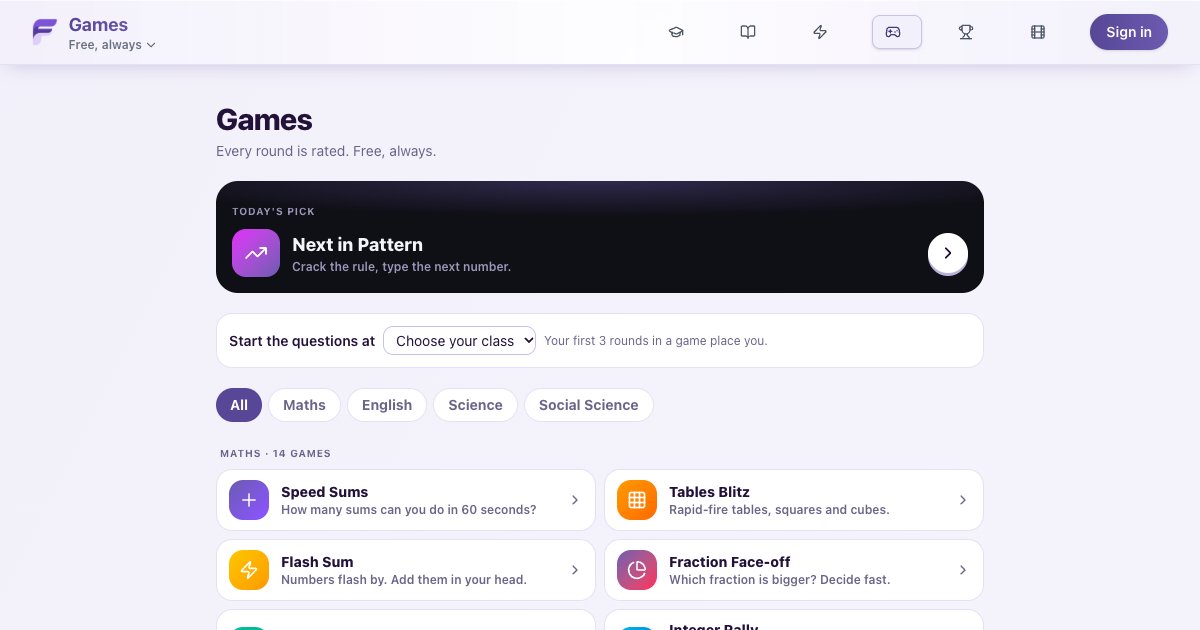
Most children do not need another hour of homework. What they often need is ten good minutes of practice that they actually want to do. That is why we built Fuuvix Games: 28 short games for Class 1 to 10 across Maths, English, Science and Social Science. Every game is free, a round takes about a minute, and your child does not need to sign in to start.
This post explains what the games are, how they adjust to your child, and how to fit them into a normal school day.
Why short games work
Speed and accuracy with the basics decide how tiring the harder work feels. A child who knows 7 × 8 instantly has more attention left for the actual word problem. A child who can tell which fraction is bigger without drawing pizzas finds ratios and percentages far less scary.
That kind of fluency comes from many short, regular sessions, not from one long sitting before the exam. Each Fuuvix game is built around one small skill, so a single round is focused practice of exactly that skill. Doing two or three rounds a day adds up quickly over a month.

Maths games
There are 14 maths games, from Class 1 number sense to Class 9 and 10 factors and percentages.
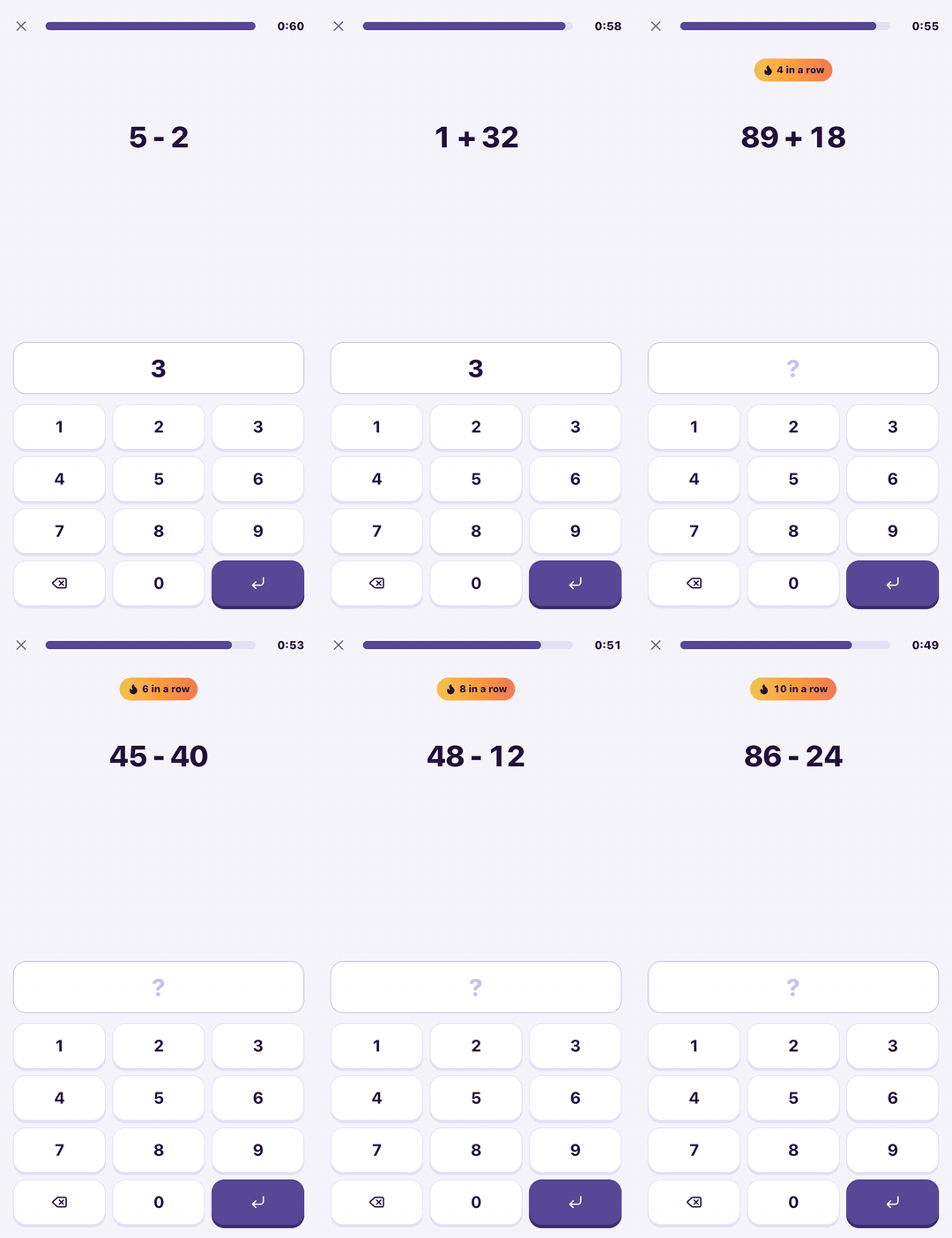
- Speed Sums (Class 1-8): as many sums as you can in 60 seconds. It builds speed and accuracy with basic arithmetic.
- Tables Blitz (Class 2-9): rapid-fire tables, and later squares and cubes. Fast recall of these saves time in almost every maths question.
- Flash Sum (Class 1-10): numbers flash one after another and your child keeps a running total in their head.
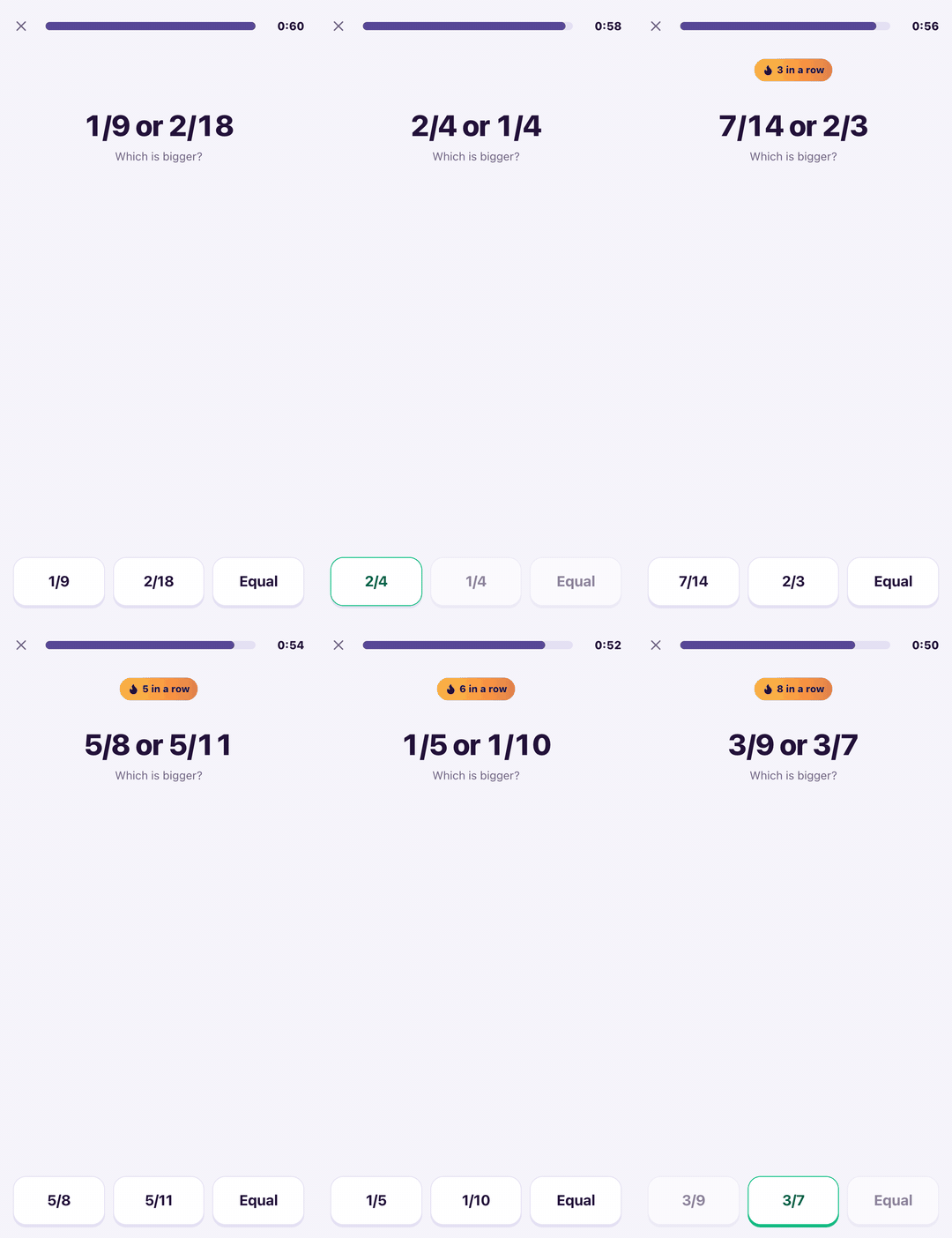
- Fraction Face-off (Class 3-8): pick the bigger fraction, or tap Equal. It builds a real feel for fractions, which ratios, decimals and percentages depend on.
- Decimals and Percents (Class 3-9): compare and convert quickly. It teaches that more digits does not mean a bigger number.
- Missing Number (Class 1-9): find the number that makes the sum true. This is early algebra in disguise.
- Integer Rally (Class 3-9): sums with negative numbers, so the integer rules feel natural before algebra.
- BODMAS (Class 4-9): work out expressions in the right order. It fixes the most common mistake in long sums.
- Number Line (Class 1-8): drag the marker to where a number belongs. It builds a sense of size and order for whole numbers, fractions and decimals.
- Next in Pattern (Class 1-10): find the rule and type the next number. This is the reasoning skill behind many Olympiad-style questions.
- Prime Time (Class 4-10): prime or not, and later HCF and LCM.
- Angle Eye (Class 3-9): estimate an angle by eye. It builds the feel for geometry that makes protractor work easier.
- Area and Perimeter (Class 3-9): work out measurements in your head, so children see shapes and not just formulas.
- Unit Converter (Class 2-9): metres, grams, rupees and hours. It connects maths to real life and prevents careless mistakes in word problems.
English, reading and focus games
There are 8 games here. Some practise language directly, and some train the attention and memory that reading depends on.
- Spelling Bee (Class 1-10): read the meaning and tap the correctly spelt word.
- Word Meaning (Class 1-10): find the word with the same or the opposite meaning. It grows vocabulary for reading and writing.
- Grammar Fix (Class 1-10): fill the gap with the right word, so good grammar becomes a habit.
- Sentence Builder (Class 1-10): put jumbled words back in order, as many sentences as possible in 60 seconds.
- Speed Reader (Class 1-10): words flash one at a time, then your child answers a question. It is practice in reading for meaning, not skimming.
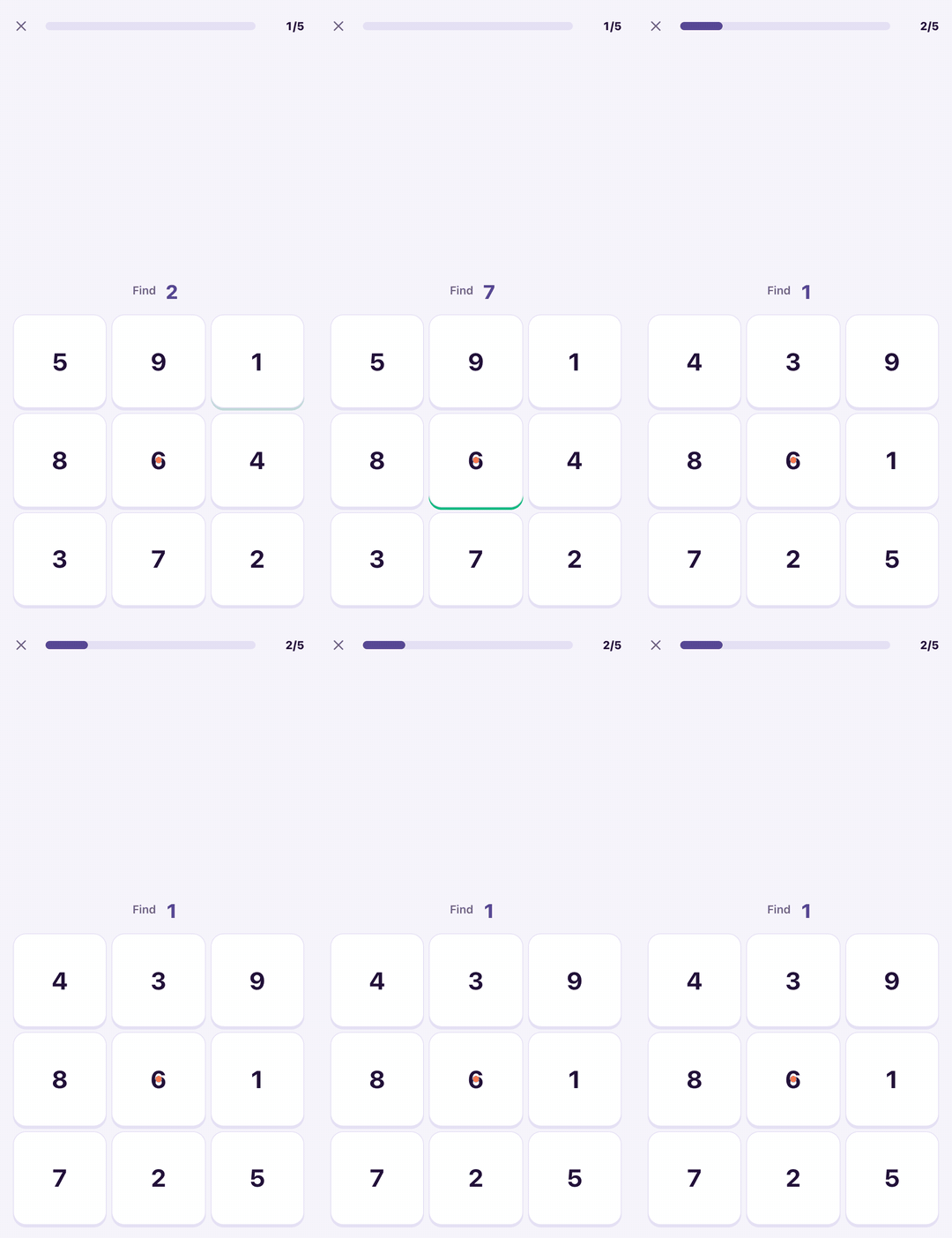
- Schulte Table (Class 1-10): tap the numbers 1, 2, 3 and onwards in order on a grid, as fast as possible. It is a classic timed visual-search puzzle, and children enjoy watching their own times drop.
- Remember Number (Class 1-10): a number flashes and hides, and your child types it back. The numbers get longer as they improve.
- Line of Sight (Class 1-10): keep your eyes on the centre and catch two numbers at the ends of a line without looking at them.
Science and Social Science games
- Element Match (Class 1-10): symbols, formulas and what things are made of.
- Sort It (Class 1-10): living or non-living, acid or base. Sorting helps children understand the groups instead of memorising lists.
- Capitals (Class 2-10): states, capitals and landmarks. It also warns them that a big city is not always the capital.
- Flag Guesser (Class 1-10): a flag appears and your child names the country. Later levels mix in look-alike flags, such as Chad and Romania, so they learn to check the details.
- Where in the World? (Class 1-10): a city or country is named, and your child drops a pin on the world map. The closer the pin, the better the score, so it builds a real mental map of the world.
- Which Came First? (Class 3-10): two moments in history, and your child picks the earlier one. Over time, history becomes a timeline instead of a list of dates.
How the games adjust to your child
Each game gives your child a rating, much like a chess rating. The questions are chosen to match that rating, so a Class 3 child and a Class 8 child playing the same game both get questions at the right level.
- Everyone starts at the same rating, at the easiest level. The rating moves after every answer, so the next question already fits your child. It moves quickly in their first rounds of a game and settles as they play more.
- Doing well raises the rating, and mistakes lower it. Simply playing more does not raise it. The only way up is to get better.
- Some games reward speed as well. In the 60-second games, more correct answers and faster answers both count. In Schulte Table, the rating comes from the time taken. In Where in the World?, only the distance between the pin and the real place counts. In the other games there is no rush, and only a very slow answer counts a little less.
- Each game has its own rating. Your child might be strong at Tables Blitz and still be learning in Spelling Bee, and the ratings will show that honestly.
Every game page has a short "How your rating works" box that explains this in plain words for your child.
Leaderboards, and what signing in changes
Your child can start playing immediately without an account. Their rating is saved on that device.
If you sign in, their rating also goes onto the leaderboard for each game. There are two boards. "All time" ranks players by their rating in that game. "This week" ranks the best single round of the week, and it resets every Monday at midnight IST, so every child gets a fresh chance each week.
A simple routine that works
You do not need a timetable. Something like this is enough:
- Pick two games that match what your child is doing in school this month, for example Fraction Face-off and Decimals and Percents during a fractions chapter.
- Play three rounds of each, once a day. That is about five to eight minutes.
- Add one focus game such as Schulte Table or Remember Number when your child seems tired or distracted. They work well as a warm-up before homework.
- Look at the rating graph once a week, not after every round. Ratings go up and down from day to day. The trend over a few weeks is what tells you whether practice is working.
Short daily practice beats long weekend sessions. If your child asks for "one more round", that is the games doing their job.
Try it today
All 28 games are free, now and always, and they work on any phone or computer with a browser. Open Fuuvix Games, pick your child's subject, and let them play one round. After that first round they will have a rating, and you will both see where they stand.